Smaller videos. Same Mac. Nothing leaves it.
Ounce shrinks your videos without making them look worse, using the dedicated video engine built into Apple silicon, so it takes seconds and barely touches your CPU.
Drag in a file. Or a folder. Or a folder full of folders.
- Version 1.0 (2)current release
- Apple siliconarm64, macOS 14 or later
- Measured on M1 Proevery number on this page
Why there is anything left to take
Already compressed doesn’t mean finished.
Video off an iPhone is H.265 already, the efficient format, so it looks like there is nothing left to squeeze. In practice there is a great deal, and the reason is the phone rather than the format.
What your phone is up against
It has to compress the video while it is recording it. One pass, in real time, keeping up with the sensor, with no idea what is coming next in the shot and no option to fall behind or get warm.
So it holds a steady, generous data rate the whole way through. A plain white wall gets the same budget as a busy street, because it cannot know which one it is about to be given.
What Ounce gets instead
The whole clip already exists. Nothing is waiting on it, nothing will drop a frame, and it can look at the footage properly before deciding anything.
So it spends where the picture actually needs it and almost nothing where it does not. The wall becomes cheap. The street keeps its detail. What you see looks the same.
-
The waste is biggest in the easy footage: locked-off shots, plain backgrounds, anything slow. Those were given a budget sized for the hardest thing you might have filmed.
HowCapture encoding runs single pass at a near constant rate from a fixed ladder chosen for the recording mode, with no lookahead and a hard latency and thermal budget, so bit allocation cannot follow scene complexity.
-
Ounce re-spends that budget according to what each moment is actually worth.
HowA constant quality target with full analysis re-allocates by real scene cost rather than holding a rate, so simple content collapses while difficult content keeps its bits.
A folder of fourteen iPhone clips, all of it H.265 to begin with, came back 211 MB lighter in under five minutes on an M1 Pro. The recording of that run is further down this page.
Before it starts
It checks whether compressing is even worth it.
Most already-compressed video still has plenty to give, but not all of it does, and there is no way to tell from the outside. So Ounce finds out on your actual file first. One clip we tested came back 56% larger from a fixed quality pass, at 4.3 MB against 2.76 MB going in. The probe predicts 1.56 times the original for that file, past the 1.5 line, so Ounce declines it and leaves it alone.
- 17%2s
- 48%2s
- 79%2s
- 1Encode the three slices at the real target settings.
- 2Predict what the whole file would come out at.
- ×1.5× the source or worse, and the job is declined in a second or two. Your file is untouched.
- ✓Anything better, and it runs. The threshold sits above 1.0 on purpose, so it errs towards trying.
-
Ounce checks your video before it starts. If compressing it would make the file bigger, it says so within a second or two and leaves your original alone.
HowThree 2 second slices, sampled at 17%, 48% and 79% of the timeline, are encoded with the exact target settings before the real encode begins. If the predicted bitrate is 1.5 times the source or more, the job is declined.
-
It errs towards trying. You will not be told no on a file that would have compressed perfectly well.
HowThe 1.5 threshold is calibrated against eleven measured files across both encode paths rather than chosen by feel. Slice based probing over-estimates by 13% to 68%, so the threshold sits deliberately above 1.0.
-
You can never end up with a file larger than the one you started with.
HowPost-encode size gate: an output that is not strictly smaller than its input is deleted, never kept.
-
Quality holds steady the whole way through. Fast, detailed scenes get the bits they need instead of falling apart exactly when it matters most.
HowConstant quality rate control, not a fixed bitrate target. VideoToolbox AVVideoQualityKey at 0.65 / 0.52 / 0.40; libvpx and SVT-AV1 at CRF 32/40/47 and 30/40/48.
Drag, drop, done
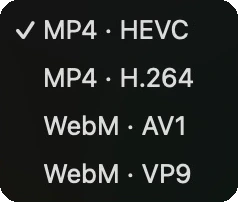
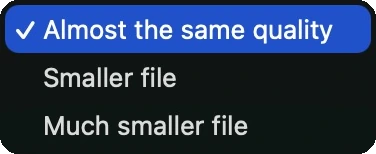
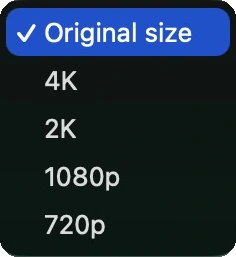
Three settings, and none of them mention a codec.
Drop a video, several videos, a folder, or a folder of folders. Ounce finds every video inside and writes the compressed copies right beside the originals.
Pick a format, pick how small, and optionally cap the size. That is the entire interface. Nothing asks you what bitrate you want, because you should not have to know.
Speed, and being honest about it
Fast where the hardware allows, and candid where it does not.
-
MP4 compresses faster than you could watch the video, and your Mac stays completely usable. The fans stay quiet.
HowH.264 and HEVC encode on the Apple silicon media engine, fixed-function hardware separate from the CPU, through VideoToolbox. Roughly 8 times realtime at about 0.1 of one core.
-
WebM takes noticeably longer than MP4. That is a limit of the hardware, not of the app, and nothing else on your Mac can do it faster.
HowNo Apple chip from M1 to M4 has a hardware encoder for AV1 or VP9. Decode only: VP9 from M1, AV1 from M3. Those formats run on the CPU.
-
Even hours into a large batch, the rest of your Mac stays responsive.
HowSoftware encoders are pinned to performance cores by reading hw.perflevel0.logicalcpu, leaving the efficiency cores free.
-
It uses as much of your Mac as it should, and no more.
HowConcurrency scales with the chip: 2 jobs on base, 3 on Max, 4 on Ultra, read from machdep.cpu.brand_string.
Formats
Four ways out, and it reads almost anything going in.
-
HEVC is the all-rounder, fastest and small. H.264 plays on absolutely anything, at the cost of a larger file.
HowMP4 HEVC and MP4 H.264 encoded by VideoToolbox. Audio re-encoded to AAC.
-
AV1 gives the smallest files of all and is the right choice for a website. VP9 plays in every modern browser, including older Safari.
HowWebM AV1 via SVT-AV1 and WebM VP9 via libvpx. Audio re-encoded to Opus.
-
Give it more or less any video file and it will read it.
How19 input container types accepted: mp4, m4v, mov, avi, mpg, mpeg, mkv, m2ts, mts, ts, 3gp, wmv, flv, webm, ogv, mxf, asf, divx, vob.
-
Colours come out the same as they went in, rather than shifting once the video is on the web.
HowSource colour is read as CICP primaries, transfer and matrix, then written into the Matroska Colour element and the AV1 configuration record.
See it work
Fourteen files, 211 megabytes lighter.
A folder of iPhone footage on an M1 Pro. It’s H.265 already, so it has been compressed once and ought to be a hard case. The whole folder finished in under five minutes. It’s narrated, so turn your sound on.
The recording is sped up through the middle, for the obvious reason that nobody wants to watch five minutes of progress bars. The file sizes and percentages on screen are the real ones.
One real run
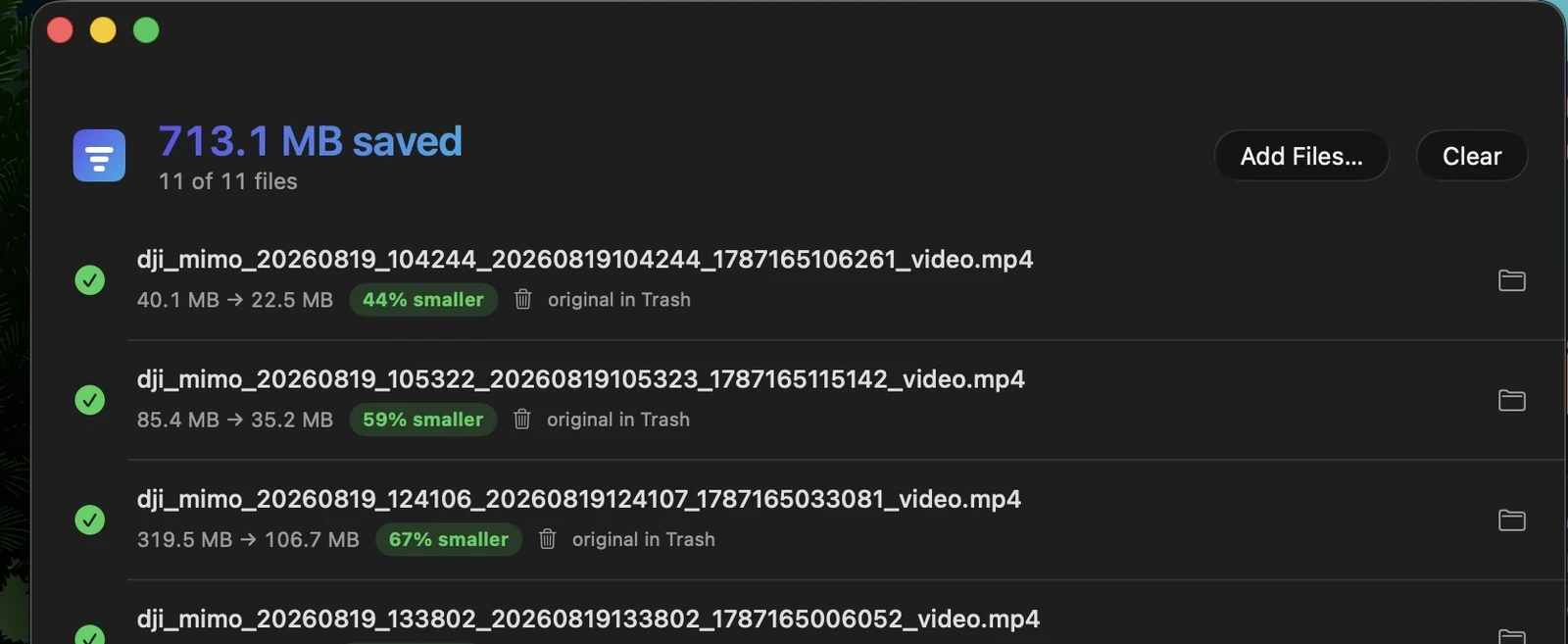
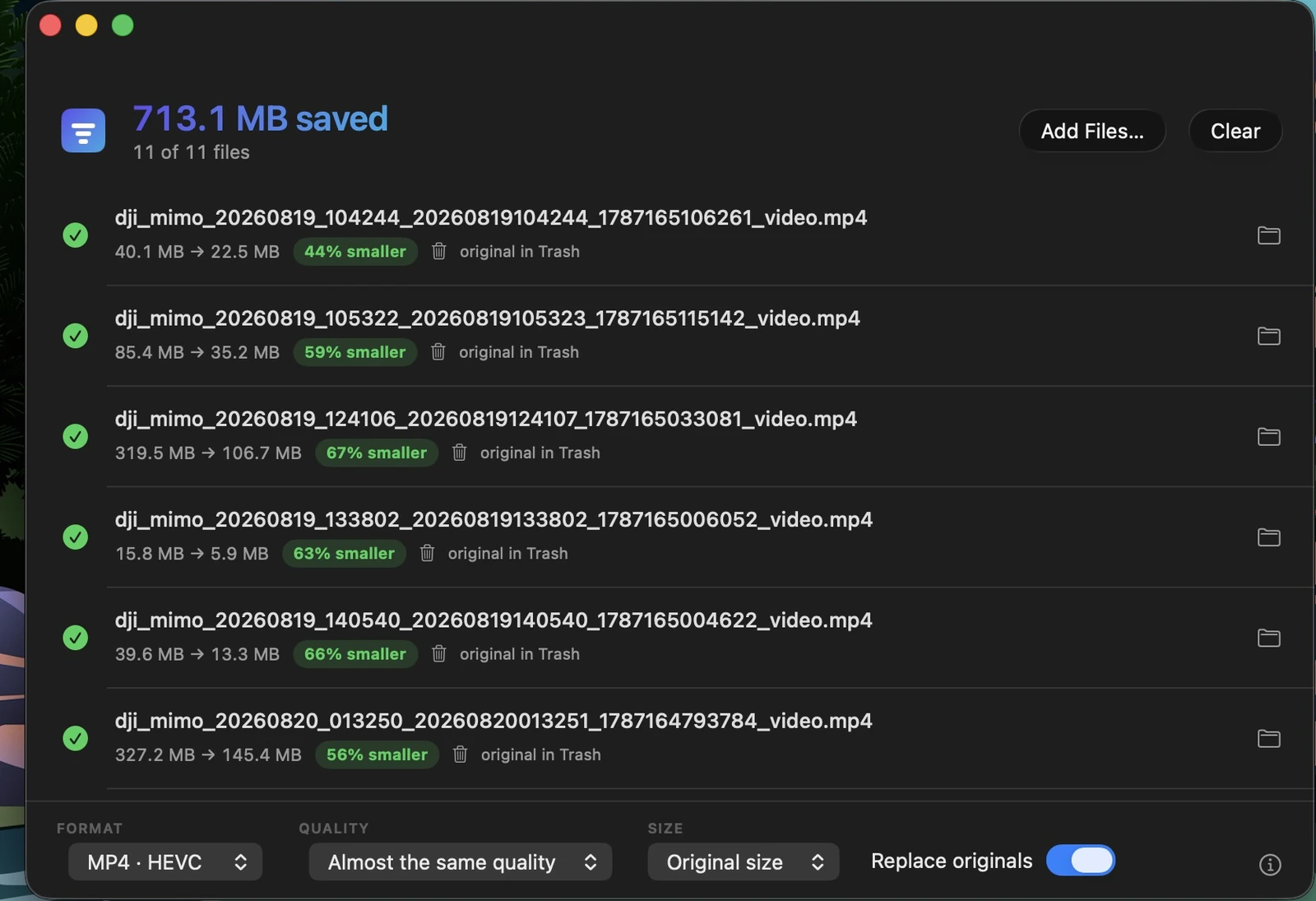
713 megabytes back, from eleven files.
Six of the eleven, the ones legible in the capture. Nothing above is illustrative: those are the app’s own numbers, and this is the run they came from.
Batches and folders
Point it at an archive and walk away.
-
Drop one video, a folder, or a folder full of folders. It finds everything inside.
HowRecursive discovery to arbitrary depth from any mix of dropped files and folders.
-
It will not reach inside your Final Cut, Photos, iMovie, Logic, Premiere or Lightroom libraries and rewrite their contents.
How24 document package types are stepped over, including .fcpbundle, .photoslibrary, .logicx and .prproj, matched by extension rather than LaunchServices, which fails when the owning app is not installed.
-
No double work, and no accidental re-compression of files it made itself.
HowHidden folders, Ounce's own previous outputs and duplicates across overlapping drops are excluded. Paths are compared case-insensitively, because Clip.MP4 and clip.mp4 are one file.
-
Run it over the same archive again next month and it skips everything already done, instantly.
HowCompleted files carry an extended attribute keyed to the exact settings used.
-
Portrait video from your phone is never squashed, and choosing a size larger than the source simply leaves it alone.
HowResize caps the shorter side at 2160, 1440, 1080 or 720, preserving aspect ratio, and never upscales.
What protects your files
The part you only notice when it is missing.
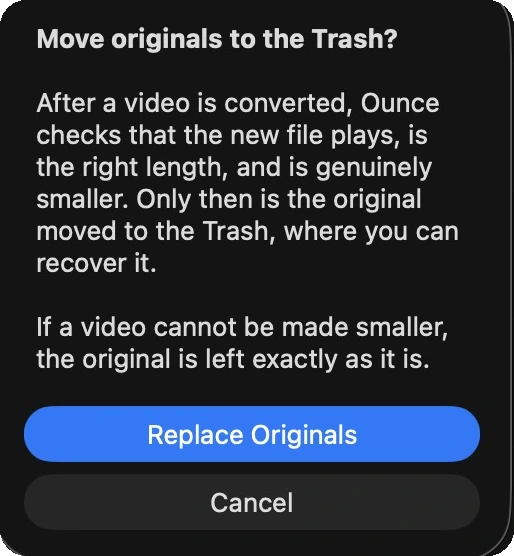
Replacing originals is off until you turn it on, and when you do, the app explains itself first rather than just doing it.
-
A half-written file is never mistaken for a finished one.
HowEvery output is re-opened and its samples walked to the end before acceptance. Header checks alone are insufficient: MP4s are written moov-first, so a truncated file still reports full duration and track count.
-
The safety check works on every format, not only the Apple ones.
HowWebM outputs are verified with libwebm's own parser, because AVFoundation cannot read WebM at all and reports zero tracks.
-
Originals go to the Trash, never straight to deletion, and only once there is a verified, smaller replacement. You can always get them back.
HowReplace originals is off by default, calls trashItem and never removeItem, and runs only after the replacement is verified complete and confirmed smaller.
-
A folder holding both clip.mov and clip.mp4 is completely normal, and nothing gets clobbered.
HowOunce never writes over a file it did not create. A name collision produces a distinct filename instead.
-
Stop means stop.
HowStop halts the encode in progress, not merely the queue, in 0.3 to 0.5 seconds across all four codecs. Partial output is discarded.
Privacy you can verify
Not a promise. A property of the app.
Ounce ships with no network permission at all. This is not "we choose not to send anything": the app has no ability to. These are the only permissions it requests, and you can check them yourself.
com.apple.security.app-sandbox
com.apple.security.files.user-selected.read-write
com.apple.security.files.bookmarks.app-scope
no network entitlement of any kind
-
Nothing to sign up for, and nobody knows you are using it.
HowNo analytics, telemetry, crash reporting, advertising, account or sign-in.
-
No upload wait, no file size limit, and no queue behind other people's videos. It works on a plane.
HowAll encoding is local to the machine.
Pricing
$9.99Once.
No subscription. You pay once and the app is yours. There is no in-app purchase, and no network permission with which to support one.
All future updates included. Everyone who buys Ounce receives every future version of it at no extra cost. If we ever release a subscription-based product, existing owners keep this app and keep receiving its updates. That does not change retroactively, and we will not take away something you have already bought.
Download on the Mac App Store